Getting Started with Static Site Builder
January 15, 2025
~6 minutes read
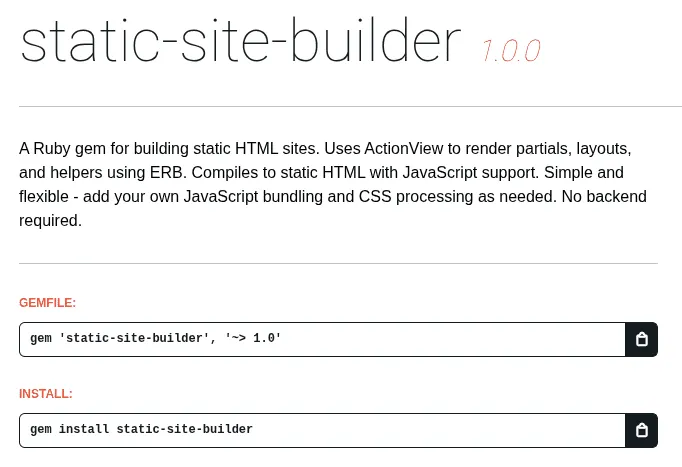
The static-site-builder gem is a Ruby-powered static site generator that compiles ERB templates into static HTML. It uses ActionView to provide Rails-like layouts, pages, and partials without a full Rails application, allowing you to host it for free directly on Cloudflare CDNs and other static hosting services. The gem is intentionally simple—no built-in JavaScript bundlers or CSS frameworks. Instead, you add your own tools as needed, with setup guides provided in the documentation. This guide will walk you through everything you need to know to build and deploy static sites with this gem.
Installation and Setup
Install the gem:
gem install static-site-builderOr clone from GitHub:
git clone https://github.com/Ancez/static-site-builder
cd static-site-builder
bundle install
Generate a new site:
# If installed as gem
static-site-builder new my-site

# Or if using from repo
git clone https://github.com/Ancez/static-site-builder
cd static-site-builder
bundle install
ruby bin/generate my-site
Once generated, install dependencies:
cd my-site
bundle install
The generator creates a simple ERB-based structure. Add your own JavaScript bundling and CSS processing as needed. See the setup guides for Tailwind CSS, ESBuild, and other tools.
Project Structure
The generator creates a complete project structure with all necessary files:
my-site/
├── Gemfile              # Dependencies (static-site-builder, sitemap_generator, etc.)
├── Rakefile             # Build tasks (includes sitemap generation)
├── config/
│   └── sitemap.rb       # Sitemap generation config
├── app/
│   ├── views/
│   │   ├── layouts/     # Layout templates (ERB)
│   │   ├── pages/       # Page templates
│   │   └── shared/      # Reusable partials
│   ├── helpers/         # Helper modules (auto-loaded)
│   ├── javascript/      # JavaScript source files (optional)
│   │   └── application.js
│   └── assets/
│       └── stylesheets/ # CSS source files
├── lib/
│   └── site_builder.rb  # Compiles your site (auto-generated)
└── public/              # Static files (copied to dist/)
The lib/site_builder.rb file is automatically generated and handles ERB template compilation. It scans app/views/pages/ for template files, compiling them to HTML in the dist/ directory. The gem uses ActionView for Rails-like templates, helpers, layouts, and partials. Helper modules in app/helpers/ are automatically loaded and available in your templates.
ERB Templates
The gem uses ERB (Embedded Ruby) templates with ActionView, providing Rails-like functionality. This includes support for layouts, partials, helpers, and the meta-tags gem for SEO metadata.
Pages are ERB template files in app/views/pages/. The file structure determines the URL structure:
index.html.erb→/about.html.erb→/aboutblog/post.html.erb→/blog/post
Partials work just like in Rails. You can include them and pass local variables using the locals: option, for example: <%= render partial: 'shared/header', locals: { title: 'Home' } %>.
Layouts and Partials
The generator creates a default layout at app/views/layouts/application.html.erb. You can customise it to match your needs. Here's what a typical layout looks like:
<!DOCTYPE html>
<html lang="en">
<head>
  <meta charset="UTF-8">
  <meta name="viewport" content="width=device-width, initial-scale=1.0">
  <%= display_meta_tags site: 'Site', title: 'Site' %>
  <link rel="stylesheet" href="/assets/stylesheets/application.css">
</head>
<body>
  <main>
    <%= yield %>
  </main>

  <% if content_for?(:javascript) %>
    <%= yield(:javascript) %>
  <% end %>
</body>
</html>
The yield tag inserts the page content. Use render partial: to include partials, for example: <%= render partial: 'shared/header' %>. Use content_for :javascript in your page templates to include JavaScript that will be injected into the layout.
Adding JavaScript
To include JavaScript files in your pages, use the content_for(:javascript) block in your ERB templates:
<% content_for(:javascript) do %>
  <script src="/assets/javascripts/application.js"></script>
<% end %>
If your project includes a package.json with a scripts.build entry, rake build:assets will execute npm run build. Otherwise, it will copy files from app/javascript/ to dist/assets/javascripts/.
For more advanced setups, you can configure your own bundler (ESBuild, Webpack, or Vite) and ensure the output is directed to dist/assets/javascripts/. See the ESBuild setup guide for detailed instructions.
Adding CSS
Write CSS in app/assets/stylesheets/application.css. Use any CSS tool you prefer—Tailwind CSS, PostCSS, Sass, Less, or plain CSS. See the Tailwind CSS setup guide for detailed instructions.
If your project includes a package.json with a scripts.build:css entry, rake build:css will execute npm run build:css. If a tailwind.config.js exists, it will run the Tailwind CLI. Otherwise, it will copy files from app/assets/stylesheets/ to dist/assets/stylesheets/.
Building Your Site
The generator creates a Rakefile with all necessary build tasks. Use these commands:
rake build:all- Build everything (HTML + assets + CSS)rake build:html- Build HTML onlyrake build:assets- Build JavaScript assetsrake build:css- Build CSSrake build:production- Clean build for production
The build process compiles your ERB templates to static HTML in the dist/ directory. It also handles asset copying and sitemap generation. The output is ready for deployment to any static hosting service.
Development Workflow
For development with live reload, use:
rake dev:server
This starts a local server on http://localhost:3000, watches for file changes, and automatically rebuilds. The gem includes WebSocket support for live reloading in the browser. Template path annotations are automatically enabled in development mode, helping you debug which template generated each HTML section. These annotations are automatically removed in production builds.
SEO / Meta Tags
Set page metadata in your ERB files using the meta-tags gem:
<% set_meta_tags title: 'Page Title', description: 'Page description' %>
The layout includes <%= display_meta_tags site: 'Site', title: 'Site' %> which sets app-wide defaults. You can also define a default_meta_tags helper method to minimize code duplication. See the meta-tags gem documentation for all options.
Sitemap Generation
Sitemap generation is automatically configured when you generate a new site. The sitemap_generator gem is included in the Gemfile, and config/sitemap.rb is automatically created. Update it to set your domain:
SitemapGenerator::Sitemap.default_host = 'https://yourdomain.com'
The sitemap is automatically generated from all pages in app/views/pages/ during rake build:all. You can customize priority, changefreq, and lastmod in config/sitemap.rb. It will be output to dist/sitemaps/sitemap.xml.gz.
Deployment
Once built, your static site is in the dist/ directory. Deploy it to any static hosting service:
- Netlify - Connect your Git repository and set build command to
bundle install && npm install && bundle exec rake build:all - Vercel - Use
vercel.jsonwith build commandbundle install && npm install && bundle exec rake build:alland output directorydist - GitHub Pages - Use GitHub Actions to build and deploy (see deployment guide)
- Cloudflare Pages - Connect repo and configure build settings with
bundle install && npm install && bundle exec rake build:all - Any CDN - Upload the
dist/directory contents
Note: If you're using JavaScript bundlers or CSS frameworks, ensure npm install is included in your build command. See the deployment guides for platform-specific instructions.
Best Practices
- Use partials - Leverage ERB partials for reusable components and shared UI elements
- Organise by feature - Group related pages in subdirectories
- Use helpers - Centralise page metadata and common logic in
app/helpers/ - Add tools as needed - The gem is intentionally simple. Add JavaScript bundlers and CSS frameworks only when you need them
- Version control - Commit your source files, ignore
dist/andnode_modules/ - Test locally - Always preview with
rake dev:serverbefore deploying
Next Steps
You're now ready to build static sites with the static-site-builder gem. Check out the GitHub repository for more examples and documentation. Happy building!